How to Choose a Baby Monitor Without Wi-Fi: A Complete Guide
Every parent wants peace of mind. A baby monitor helps you watch your little one while you step away. But not every monitor works the same way.
WiFi monitors connect to your phone from anywhere. That sounds convenient, but it also opens the door to hacking risks. Hackers have accessed baby monitors before, and that scares many parents.
A non-WiFi baby monitor works differently. It uses a closed radio signal instead of the internet. This means only the physical monitor unit can access the video or audio feed. No app, no cloud, no stranger peeking in.
This article will help you understand how these monitors work. You will learn the real differences between WiFi and non-WiFi options. We will also cover common mistakes parents make when choosing a monitor.
By the end, you will know exactly what to look for. You will feel confident picking a monitor that fits your home and your family’s needs. Security and simplicity often go hand in hand, and we will show you why.
Let’s get started.
In a Nutshell
Non-WiFi baby monitors use a closed radio signal. This makes them very hard to hack. You need the actual monitor device to see or hear your baby.
- Security first: These monitors do not connect to the internet. This keeps your baby’s video and audio private.
- Dedicated screen: You get a handheld unit with a screen, usually 2.4 to 5 inches. There is no need for a smartphone app.
- No remote access: You cannot check on your baby from work or the store. Viewing only happens on the physical unit at home.
- Count your rooms: Think about your home layout first. Some parents need more than one camera or monitor unit.
- Skip wearables carefully: Some monitors attach to your baby’s foot or body. Check if this feels practical for your family before buying.
- Trade off to consider: You gain strong privacy but lose the convenience of checking in from anywhere.
In short, a non-WiFi monitor trades some flexibility for real peace of mind. It keeps your baby’s monitoring system simple and secure.
What Is a Non-WiFi Baby Monitor and How Does It Work
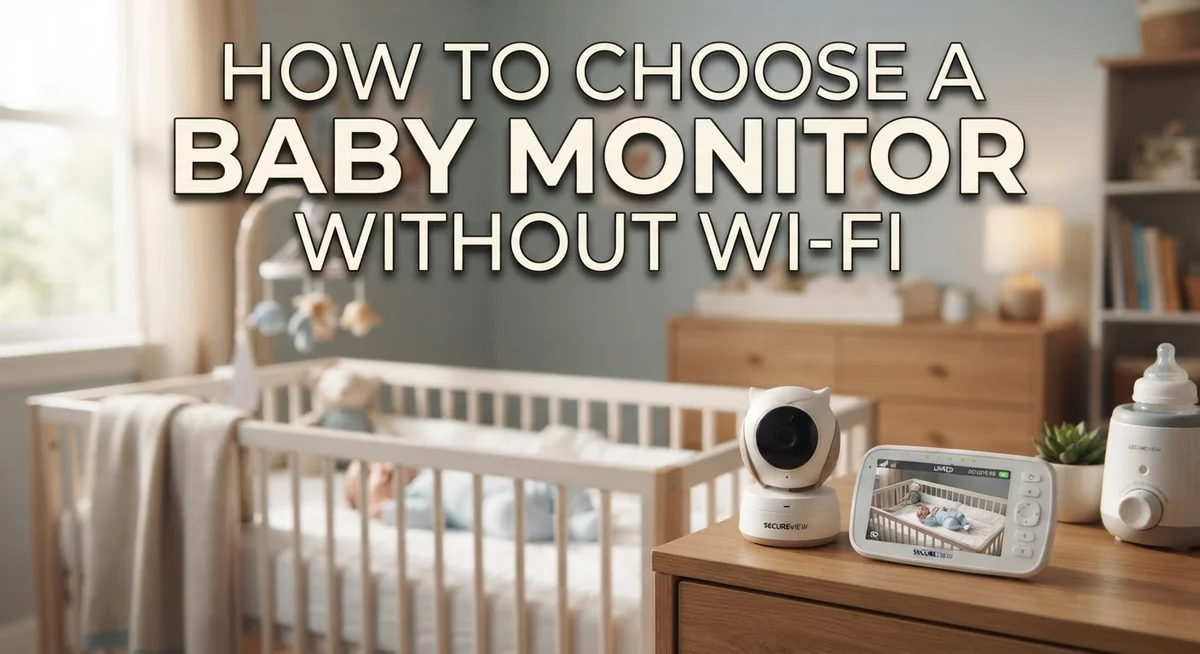
A non-WiFi baby monitor is a standalone device that lets you watch and hear your baby without connecting to the internet. It uses a closed radio signal between the camera unit in your baby’s room and a dedicated handheld screen you carry with you.
The camera sends video and audio directly to your monitor unit. This direct connection means no internet router is involved. You see what happens in real time on your portable screen, just like a walkie talkie system.
How the signal works is important to understand. The camera and monitor communicate on a private frequency. Only your specific monitor can receive that signal. This closed system architecture makes hacking virtually impossible because there is no online access point for someone to break into.
The handheld monitor typically has a small screen, usually between 2.4 and 5 inches. You hold it like a remote control. Some models include features like zoom, night vision, or temperature readings right on that screen.
Range matters for your setup. Most non-WiFi monitors work within 700 to 900 feet in open space. Walls and floors reduce this distance. You need to check if your home layout fits within the monitor’s range.
The basic trade-off is straightforward. You get stronger privacy and security because no hacker can access your monitor through the internet. However, you lose the convenience of checking on your baby from your smartphone when you are away from home.
This type of monitor works best for parents who prioritize security over remote access. It keeps your family data completely private and offline.
Why Privacy and Security Matter in Baby Monitor Selection
Your baby’s safety starts with protecting your family’s privacy. A non-WiFi baby monitor keeps your video feed completely private because it never touches the internet.
Hackers cannot access closed systems. WiFi-enabled monitors stream data through the cloud. This creates a potential entry point for unauthorized access. Non-WiFi monitors use a dedicated radio signal between the camera and your handheld unit only. No internet means no remote hacking opportunities.
Your data stays in your home. WiFi monitors send video files to company servers. These servers store images and recordings of your baby. Non-WiFi monitors keep everything local. The video never leaves your house or gets stored in the cloud.
You control who sees what. With a closed system, only people holding the physical monitor can watch your baby. No login credentials get stolen. No passwords need resetting. No data breaches affect your family’s footage.
Privacy concerns grow daily. Many parents worry about companies selling viewing data or using footage for training artificial intelligence systems. Non-WiFi monitors eliminate these worries entirely.
Security updates become less critical. WiFi monitors require constant software patches to stay safe. Non-WiFi systems have minimal vulnerability because they operate independently. You don’t need to remember firmware updates or worry about outdated security features.
Your family’s intimate moments stay private. Bedtime routines, diaper changes, and nighttime feedings are personal. Keeping this information off the internet protects your child’s privacy from birth.
This privacy advantage matters most to parents who value security over convenience. If checking your baby from work feels less important than protecting your data, a non-WiFi monitor makes practical sense for your family.
Key Features to Evaluate Before Choosing a Non-WiFi Monitor
When choosing a non WiFi baby monitor, focus on features that match your home and lifestyle. Start by understanding what matters most to you: security, range, or ease of use.
Range is your first practical concern. Most closed system monitors transmit between 700 and 900 feet in open space. Your actual range depends on walls, floors, and interference from other devices. Walk around your home with the monitor to test where the signal stays strong. If you live in a multi story house or have thick walls, you may need a unit with extended range.
Screen size affects daily use. Dedicated monitors come with 2.4 to 5 inch displays. Smaller screens fit in your pocket but show less detail. Larger screens let you see your baby clearly but are less portable. Think about whether you’ll carry the monitor room to room or keep it stationary.
Battery life matters for portability. Check how long the handheld unit runs between charges. Some monitors last 8 hours, while others go 12 or more. If you move around your home frequently, longer battery life keeps you connected throughout the day.
Temperature and sound monitoring are valuable extras. Many non WiFi monitors include room temperature readings and sound activation features. Sound activation means the monitor wakes up when your baby cries instead of running constantly.
Infrared night vision quality varies between models. Good night vision lets you see clearly in darkness without disturbing your baby. Poor quality makes nighttime checks difficult.
Finally, consider how many monitor units you need based on your home layout and daily routine.
How to Determine the Number of Monitors Your Home Needs
Determining how many monitors your home needs depends on your specific living situation and daily routines.
Start by mapping out your home layout. Consider which rooms your baby spends the most time in during the day and night. Most parents need at least one monitor for the nursery. If your baby naps in multiple rooms, you may want additional units.
Think about your typical day. Do you move between floors frequently? Are you often in the backyard or basement? Each area where you spend significant time with your baby is a candidate for monitor placement.
Your home’s size matters significantly. Larger homes often need more monitors because one unit may not cover all the spaces where your baby sleeps or plays. Conversely, smaller apartments typically require just one.
Consider your work situation. If one parent works from home, you might need a monitor in the home office. If both parents work outside the home, you may need fewer units since a caregiver will be with your baby directly.
Think about future needs too. Will you have more children soon? Additional children might mean needing monitors in different rooms simultaneously.
Test the range of a single monitor first if possible. Walk around your home with the handheld unit to see if one device covers your main areas. This practical test helps you understand if you truly need multiple units.
Most families find that one or two monitors work well. One unit handles the primary sleeping area, while a second covers other common spaces. Start with what feels necessary, then add more units only if you identify genuine gaps in coverage during actual use.
Step-by-Step Process for Selecting the Right Non-WiFi Monitor
Start by listing what matters most to you as a parent. Do you need to watch your baby from multiple rooms? Will you move around your home frequently? Do you work from home or outside? Your answers shape everything that follows.
Next, examine your home’s layout carefully. Walk through each room where you spend time with your baby. Mark areas where you’d want to see your child. Consider walls, floors, and doors between spaces. This map shows you how many monitor units make sense.
Test the transmission range in your specific home. Most closed system monitors work between 700 and 900 feet in open space. Your actual range depends on walls and interference. Walk around with the handheld unit to see where you lose signal. This tells you if one monitor covers your needs or if you need two.
Think about your daily routine honestly. Parents who stay in one area usually need just one monitor. Those who move between multiple floors or outdoor spaces benefit from extra units. Night time use differs from daytime use too.
Consider future changes in your life. Will you need to monitor a second child’s room soon? Might you move to a larger home? These questions help you avoid buying equipment twice.
Don’t overlook battery life when planning portability. A monitor with poor battery performance limits where you can actually use it. Check how long the handheld unit runs between charges.
Finally, visit a store if possible to hold different models. Feel the screen size in your hands. Test the buttons and menu. This hands on experience reveals what works for your lifestyle better than any specification sheet.
Comparing Screen Size, Range, and Battery Life Considerations
Screen size, range, and battery life form the foundation of a practical non-WiFi monitor choice. Each factor directly affects how you use the device in your home.
Screen size determines visibility during daily use. Dedicated monitors typically offer 2.4 to 5 inch displays. Larger screens let you see your baby more clearly, especially from across a room. Smaller screens save space and weight if you carry the monitor frequently. Think about where you’ll watch most often, like your kitchen counter or bedroom nightstand.
Range describes how far the signal travels between the parent unit and baby unit. Most closed system monitors work between 700 and 900 feet in open space. Your actual range depends on walls, floors, and interference from other devices. Test the range in your specific home before purchasing. Walk from the nursery to different rooms while monitoring the signal strength.
Battery life affects portability and convenience throughout your day. A monitor with poor battery performance forces constant charging, which defeats the purpose of having a portable device. Check how many hours the handheld unit runs on a single charge. Some models last 8 hours, while others manage only 4 hours. Consider your typical day. Do you move between rooms frequently? Will you need the monitor during nighttime hours?
These three elements work together to shape your experience. A large screen with excellent range but poor battery life creates frustration. A small screen with limited range but all day battery life might feel restrictive. Balance these factors based on your home layout and daily routine. Your ideal combination depends on what matters most to your family’s specific situation.
Common Mistakes to Avoid When Choosing a Non-WiFi Monitor
Parents often make predictable mistakes when selecting a non-WiFi baby monitor. Understanding these errors helps you avoid wasting money and ending up with a device that doesn’t fit your actual life.
The first mistake is choosing a wearable monitor without thinking through daily practicality. Some parents buy ankle or foot attachment monitors thinking they offer the best tracking. These devices sound impressive in theory, but they create real problems. Your baby may kick the device off, it requires constant charging, and it adds another item to keep track of during diaper changes and outfit switches.
Another common error is ignoring the closed system security advantage entirely. Parents sometimes choose WiFi monitors because they seem more convenient, then worry later about privacy and hacking risks. Non-WiFi monitors offer genuine peace of mind through their closed radio signal. Only your dedicated handset receives the transmission, eliminating internet vulnerabilities.
Many buyers also overlook their actual home layout when making selections. They purchase a monitor without testing whether the signal reaches all necessary rooms. A monitor with impressive range on paper may perform differently in your specific home due to walls, interference, and distance.
Parents frequently underestimate battery life importance too. They select a monitor based on features alone, then discover the handheld unit dies mid-morning. Portability matters more than you realize when you’re moving between rooms, doing yard work, or running errands around your home.
Finally, some parents buy single monitor units when their home layout clearly requires two. This forces them to constantly move one device between rooms, defeating the purpose of having a monitor. Honestly assess your space before purchasing to avoid this frustration.
Troubleshooting Signal, Range, and Connectivity Issues
When your non-WiFi baby monitor starts acting up, signal problems are usually the culprit. Understanding what causes these issues helps you fix them quickly. Range limitations happen when walls, floors, or metal objects block the signal between your parent unit and baby unit. Thick concrete or steel reinforced structures create the biggest problems.
Start by checking your distance from the baby’s room. Move closer to see if the signal improves. If it does, your monitor simply needs to be positioned differently. Try placing the baby unit higher up on a shelf or dresser rather than low on the floor. Elevation helps the signal travel better through your home.
Next, identify metal objects between the two units. Refrigerators, microwaves, and metal filing cabinets interfere with radio signals. Moving either the parent unit or baby unit away from these items often solves the problem immediately.
Check your battery level too. Low batteries cause weak signals and disconnections. Replace batteries with fresh ones and test again before assuming you have a real problem.
If issues persist, test the monitor in different rooms. This tells you whether the problem is location specific or system wide. Walk around your home while holding the parent unit to map out dead zones where the signal drops.
Some homes simply have layouts that challenge non-WiFi monitors. In these cases, you might need to adjust your expectations about range or consider repositioning your setup. Document which areas lose signal so you can plan accordingly during daily use. Most signal problems have simple solutions once you identify what’s blocking your transmission.
Final Thoughts
Choosing a non-WiFi baby monitor comes down to one simple truth. You want peace of mind without extra security risks.
Closed system technology gives you that peace of mind. No one can hack into a signal that never touches the internet.
This matters more than many parents realize. Your baby’s room stays private, and your monitor works only between two dedicated units.
Think back to what we covered. Screen size, range, and battery life all shape your daily experience with the monitor.
Your home layout decides how many units you actually need. Skip this step, and you might end up frustrated later.
Avoid the common mistakes too. Wearable monitors sound convenient, but they don’t always fit real life.
Ignoring security benefits is another misstep. The whole point of choosing non-WiFi is that added protection for your family.
Testing your monitor before relying on it fully makes sense. Walk through your home and check the signal in every room.
If problems come up, troubleshoot calmly. Distance, obstacles, and battery levels usually explain most issues.
A non-WiFi monitor isn’t about flashy features. It’s about dependable, secure monitoring that fits your specific home.
Take time before you buy. Review your priorities, your home’s layout, and your daily routine one more time.
The right choice feels obvious once you match these factors together. You’ll know it when you find a monitor that fits naturally into your life.
Trust your research, trust your instincts, and pick a monitor that lets you relax. That’s what good baby monitoring should feel like.
Frequently Asked Questions
Do I really need a non-WiFi monitor, or is WiFi safer?
Non-WiFi monitors use a closed radio signal between two devices. WiFi monitors connect to your smartphone through the internet. The closed system means only your dedicated handset can access the video and audio. WiFi monitors require internet connection, which introduces more potential entry points. Neither option is inherently “unsafe” if you use strong passwords and keep software updated. Your choice depends on whether you value portability (WiFi) or privacy (non-WiFi).
How many monitors do I actually need?
This depends entirely on your home layout. If your baby sleeps in one room and you spend most time in one other area, a single monitor works fine. Larger homes or homes with multiple levels often benefit from two units. Consider where you spend your time during the day and night. Think about your typical movement patterns. Some parents keep one monitor in the kitchen and another in their bedroom. Honestly assess your actual needs rather than buying extra units you won’t use.
What’s the real difference between a closed system and WiFi?
A closed system transmits directly from the baby unit to your parent unit using a private radio signal. No internet involved. WiFi systems upload video to company servers, then stream to your phone app. Closed systems mean your footage never leaves your home network. WiFi systems let you check on your baby from anywhere, even outside your house. The trade-off is simple: closed systems offer better privacy, while WiFi offers better flexibility and range.
Can I use a non-WiFi monitor in a small apartment?
Absolutely. Non-WiFi monitors typically work well within 700 to 900 feet of open space. Most apartments are much smaller than this. Your main concern is walls and interference from other electronics. Test the monitor in your actual space before committing to it. Check signal strength in different rooms. Most apartments have no trouble maintaining a strong connection with a quality non-WiFi monitor.

Dillip started Before You Checkout after one too many disappointing online purchases, and now spends his time researching products across home, tech, fitness, and everyday essentials. He writes straightforward reviews and how-to guides for people who want a clear answer, not a sales pitch.