
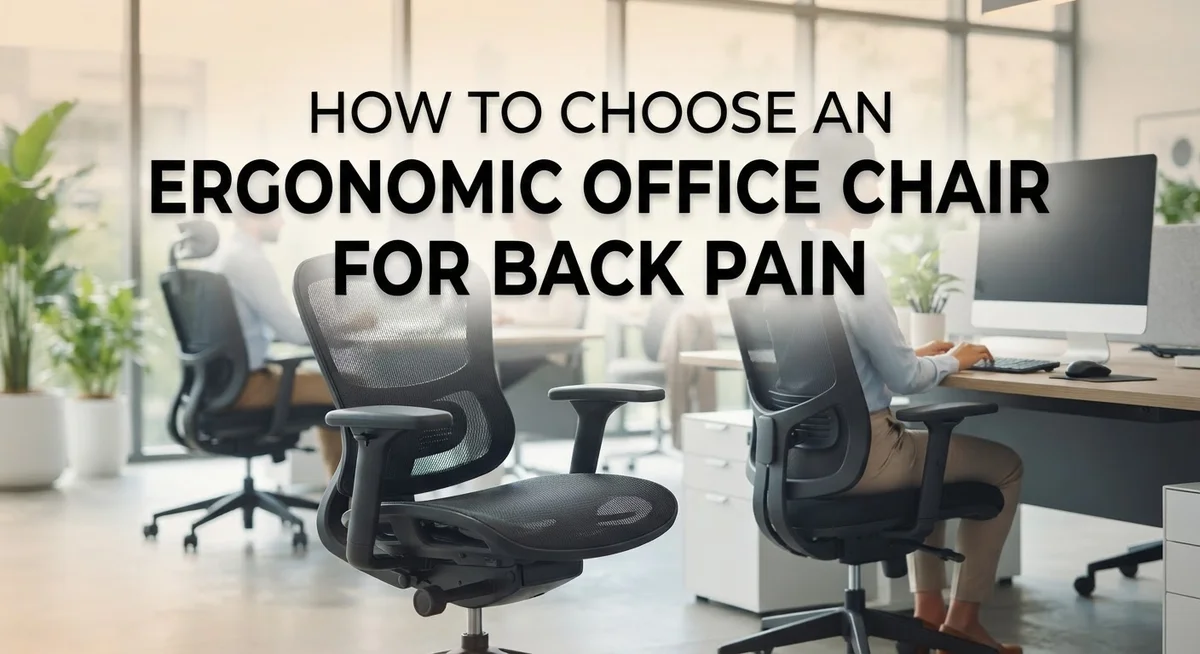
How to Choose an Ergonomic Office Chair for Back Pain
Back pain hits many office workers every single day. You sit for hours, and your spine slowly loses its natural curve. The result? Stiffness, soreness, and constant discomfort.
Your chair plays a huge role in this problem. A poorly designed chair pushes your spine out of alignment. It also creates pressure points that lead to muscle fatigue over time.
The good news is that an ergonomic office chair can fix this issue. It supports your spine’s natural shape and evenly distributes your body weight. This reduces strain on your back, hips, and shoulders.
But choosing the right chair isn’t always simple. Many options look comfortable but lack real ergonomic features. Others focus on style instead of function, leaving your back unsupported.
This guide will show you exactly what to look for. We’ll cover lumbar support, armrest adjustability, and proper seat depth. You’ll also learn how to position your body correctly for maximum comfort.
By the end, you’ll know how to spot a truly supportive chair. You’ll also avoid common mistakes that make back pain worse. Let’s get started.
In a Nutshell
Here’s a quick rundown of what really matters when picking your chair:
-
Lumbar support should adjust both up and down and in and out. This lets it match your spine’s natural curve perfectly.
-
Armrests need full adjustability. Look for options that change height, width, and pivot angle to fit your arms.
-
Seat depth matters more than people think. Your knees should never touch the front edge of the seat.
-
Reclining capability is not optional. Your backrest must tilt back to support different sitting positions.
-
The backrest width should fall between 12 and 19 inches. This range fits most body types comfortably.
-
Breathable fabric and soft cushioning keep you comfortable during long work hours. This also helps prevent pressure sores.
Skip chairs that look nice but skip these features. Fixed lumbar support, stiff armrests, and non-reclining backs cause more harm than good. Function always beats style when back pain is on the line.
Understanding Ergonomics and Why It Matters for Back Pain
Ergonomics is the science of designing things to fit your body and how you work. When applied to office chairs, it means creating a seat that supports your spine’s natural shape and distributes your weight evenly.
Your spine has a natural curve. It’s not straight like a board. This curve (called lumbar lordosis) bends inward at your lower back. An ergonomic chair supports this curve instead of flattening it. When your chair doesn’t support this curve, your muscles work overtime to hold you upright. This extra effort causes fatigue and pain.
Even weight distribution is equally important. A poor chair concentrates pressure on just a few spots. Your tailbone, hips, and thighs bear too much load. Over time, this creates pain and numbness. A good ergonomic chair spreads your weight across a larger surface area. This reduces pressure zones and keeps blood flowing to your legs and lower back.
Adjustability matters because no two bodies are identical. Your height differs from your coworker’s height. Your arm length varies. Your desk height might differ. A chair with fixed features can’t adapt to these differences. Adjustable lumbar support, armrests, and seat depth let you customize the chair to match your body. This personalization prevents discomfort before it starts.
Why does this matter for back pain? Poor chair design forces your muscles to compensate for lack of support. This constant compensation leads to muscle strain, tension, and eventually pain. An ergonomic chair removes this strain. Your muscles relax. Your spine stays properly aligned. Pain decreases naturally.
Think of ergonomics as preventive medicine. It stops problems before they develop rather than trying to fix pain after it arrives.
Key Features to Look For in an Ergonomic Office Chair
When you sit for eight hours a day, every feature of your chair matters. Let’s break down what actually makes a difference for your back.
Lumbar support is your foundation. Look for chairs where you can adjust the lumbar curve both vertically and horizontally. This means moving it up or down to match your lower back, and pushing it forward or backward for the right depth. Your spine has a natural inward curve, and the chair must support this exact shape.
Armrests deserve serious attention. Fixed armrests create problems because your desk height might not match them. You need armrests that move up and down, slide in and out, and rotate at different angles. Your arms should rest at a 90 degree angle when your hands sit on your keyboard.
Seat depth prevents leg problems. A seat that’s too long pushes the back of your knees and cuts off circulation. Your thighs should rest flat on the seat with about two to three inches between the seat edge and your knees.
Reclining capability gives your back relief throughout the day. A chair that doesn’t recline locks your spine in one position for hours, which increases fatigue and pain.
Breathable materials and soft padding keep pressure off sensitive areas. Hard plastic seats cause circulation problems. Mesh or fabric that breathes prevents heat buildup and sweating.
Test each adjustment before committing. Sit in the chair for at least five minutes. Your feet should touch the floor flat. Your thighs should stay parallel to the ground. Your back should feel supported, not strained.
Step-by-Step Guide to Evaluating Lumbar Support
Start by sitting in the chair with your feet flat on the floor. Your thighs should be parallel to the ground, and your knees should form a 90 degree angle. This position is your baseline for all other adjustments.
Next, locate the lumbar support adjustment controls. Most chairs have a lever or dial that moves the support up and down. Slide it until the curve aligns with the small of your back, right where your lower spine naturally curves inward. This spot is crucial because it bears much of your upper body weight.
Now adjust the depth of the lumbar support. Some chairs let you move it forward or backward. Push it forward slightly so it fills the gap between your back and the chair. You should feel gentle pressure, not pain. The support should feel like a hand supporting your lower back, not pushing aggressively into it.
Check that the backrest width fits your torso. The support should cover your lower back without extending too far to either side. Wider isn’t always better. A properly fitted backrest prevents your spine from shifting side to side during the day.
Test the recline function while maintaining lumbar support contact. Lean back slowly and ensure the lumbar curve stays with you. Poor chairs lose their support when you recline, which defeats the purpose.
Finally, sit for at least 15 minutes in this position. Notice any pressure points or gaps. Discomfort during your test run means the chair won’t work long term. Adjust again if needed. Your lower back should feel supported, not strained. This evaluation process takes time, but it’s worth the effort for your spine’s health.
How to Properly Adjust Armrests, Seat Depth, and Height
Start with armrest height. Your elbows should rest at a 90 degree angle when your arms hang naturally at your sides. Adjust the armrests up or down until they support your forearms without forcing your shoulders to shrug or drop.
Next, check armrest width. They should sit close enough to support your arms but not so tight that they restrict your movement. You need freedom to type and reach across your desk without hitting the armrests.
Some chairs offer pivot angles on the armrests. Test this feature by rotating them slightly inward or outward. Your arms should feel supported in your natural working position, not twisted or stretched.
Now focus on seat depth. Sit all the way back against the backrest. Your feet should rest flat on the floor with your thighs parallel to the ground. Check the gap between the seat edge and your knees. You should fit at least two fingers in that space. If the seat is too long, it will press into the back of your legs and cut off circulation.
Adjust seat height next. Your hips should sit slightly higher than your knees. This position takes pressure off your lower back and helps maintain proper spine alignment.
Finally, combine all these adjustments. Sit in your chair for 15 to 20 minutes. Your back should feel supported, your arms relaxed, and your legs comfortable. If any area feels strained or cramped, go back and fine tune each adjustment.
Remember: proper positioning takes time to get right. Make small changes and test each one before moving to the next adjustment.
Finding the Correct Sitting Posture and Chair Fit
Your sitting posture directly affects how well your chair supports your back. Poor posture creates tension in your muscles and worsens existing pain. The right chair fit helps you maintain correct alignment naturally.
Start by sitting with both feet flat on the floor. Your thighs should be parallel to the ground, not tilted up or down. If your feet dangle, use a footrest to achieve this position. This foundation prevents strain on your lower back and legs.
Your knees need clearance from the seat edge. Press your fingers between the back of your knees and the seat cushion. You should fit two fingers comfortably in that space. If the seat is too deep, it cuts off blood flow and causes discomfort during long work sessions.
Position your arms so your elbows bend at roughly 90 degrees. Your forearms should rest lightly on the armrests without your shoulders hunching up. This alignment reduces neck and shoulder tension. Your desk should align with your elbows when arms are resting.
The backrest should contact your lower back without gaps. Lean back slightly and feel where the lumbar curve meets the chair. Adjust the support until it matches your spine’s natural curve perfectly. Your upper back should touch the backrest too, but not feel forced backward.
Your head should stay neutral, not jutting forward or tilted back. When looking at your monitor, your eyes should focus on the upper third of the screen naturally.
Once you find this position, test it for at least 15 to 20 minutes. Notice any pressure points or discomfort. Small adjustments now prevent bigger problems later. Every person’s ideal position differs slightly based on body shape and size.
Common Mistakes That Undermine Back Pain Relief
Many people make choices that actually worsen their back pain instead of relieving it. Understanding these mistakes helps you avoid them.
Choosing style over function is the biggest error. A beautiful chair that looks modern may have fixed lumbar support or poor cushioning. Your back needs support first, appearance second. A plain chair with full adjustability beats a stylish one that cannot adapt to your body.
Fixed lumbar support creates major problems. Your spine has a natural curve that needs support at the right height and depth. When lumbar support does not adjust, it either presses too hard or leaves gaps against your back. This forces your muscles to work overtime, increasing pain rather than reducing it.
Non adjustable armrests force your shoulders and neck into awkward positions. Your arms should rest at elbow height without you reaching or hunching. Fixed armrests ignore your unique arm length and desk setup.
Seat pan that is too long catches behind your knees and cuts off blood flow. This creates pressure and discomfort during long work days. Your thighs should rest on the seat with a few finger widths of space between the seat edge and your knees.
Non reclining backrests lock you in one position all day. Your back needs angle changes to redistribute pressure and give muscles rest. A fixed backrest prevents this natural relief.
Ignoring breathable fabric matters more than people realize. Poor airflow traps heat and moisture, increasing pressure on sensitive areas. Soft, breathable materials keep you comfortable during eight hour workdays.
These mistakes compound over time. Each adjustment feature exists because it prevents specific pain problems. Prioritizing function over appearance gives your back the support it truly needs.
Troubleshooting Persistent Discomfort After Adjustment
Sometimes back pain continues even after you’ve adjusted your chair correctly. This happens more often than you’d think. The good news is you can troubleshoot the problem yourself.
First, give your body time to adapt. Your muscles and spine need days or even weeks to adjust to proper support. Pain doesn’t disappear overnight. Keep using the correct sitting posture for at least two weeks before deciding the chair isn’t working.
Next, check your daily habits. Poor posture during phone calls or while reaching for items can undo all your chair adjustments. Stay aware of how you sit throughout the day. Small movements matter. Slouching for even 30 minutes can trigger discomfort.
Consider your work environment too. Your desk height, monitor position, and keyboard placement all affect how your back feels. If your screen sits too low or too high, you’ll crane your neck and strain your lower back. Adjust your entire workstation, not just the chair.
Take movement breaks every hour. Sitting in any position for too long creates stiffness and pain. Stand up, walk around, and stretch your hip flexors and back muscles.
If discomfort persists after two weeks of proper adjustments and good habits, the chair might not match your body type. Some people need firmer cushioning while others prefer softer support. Your specific spinal curve or shoulder width might require different features than what your current chair offers.
Document where the pain occurs. Does it happen in your lower back, mid back, or neck? This information helps you identify which adjustment needs changing. Share these details with someone who understands ergonomics, as they can spot issues you might miss.
Maintaining Good Posture Habits Beyond the Chair
Your ergonomic chair is just one piece of the puzzle. Good posture habits matter equally when you want lasting back pain relief.
Start by taking movement breaks every single hour. Sitting in any position for too long creates stiffness and muscle fatigue. Stand up, walk around your office, or do simple stretches. Even five minutes of movement helps reset your spine and reduces pressure buildup.
Pay attention to your daily activities outside work. How you sit while driving, eating lunch, or watching screens affects your back. Apply the same posture principles everywhere. Keep your feet flat, maintain neutral spine alignment, and avoid slouching on couches or car seats.
Strengthen your core muscles through gentle exercises. Your abdominal and back muscles support your spine naturally. When these muscles are weak, your chair must work harder to prevent pain. Simple activities like walking, swimming, or basic core exercises improve your overall support system.
Watch your desk setup beyond just the chair. Your monitor should sit at eye level to prevent forward head posture. Your keyboard and mouse need proper positioning to keep your arms relaxed. A poorly arranged desk cancels out all your chair adjustments.
Stay hydrated and maintain healthy body weight. Extra weight increases spinal pressure. Dehydration makes muscles tighter and more prone to cramping.
Finally, practice awareness throughout your day. Notice when you start slouching and correct it immediately. This habit formation takes time, but it becomes automatic. Your chair supports you best when you actively maintain good posture habits alongside it. Together, they create the foundation for lasting back pain relief.
Final Thoughts
Choosing the right ergonomic chair takes some effort. But your back will thank you for it.
Focus on function first. Style matters less than proper support. A chair that looks great but lacks adjustable lumbar support will not help your pain.
Remember the core features that truly matter. You need adjustable lumbar support, flexible armrests, and a reclining backrest. Seat depth must fit your leg length too.
Test any chair before committing to it. Sit in it for several minutes. Check if your feet rest flat and your knees clear the seat edge.
Your body is unique. What works for someone else might not work for you. This is why adjustability matters so much.
Give yourself time to adjust to a new chair. Your muscles need to adapt to proper support. Two weeks is a reasonable trial period.
Small adjustments make a big difference. Raise or lower the lumbar support until it fits your spine’s curve. Widen or narrow the armrests until your shoulders relax.
Do not ignore breathable fabric either. Comfort throughout the day depends on this often overlooked detail.
Combine good chair choices with smart habits. Take breaks every hour. Strengthen your core muscles regularly. Watch your posture even when standing.
An ergonomic chair supports your back, but it cannot fix everything alone. Your daily habits and movement patterns matter just as much.
Back pain relief comes from combining the right chair with the right habits. Invest time in finding proper support. Your spine handles pressure all day long, so give it the help it deserves.
Take these steps seriously. Your future comfort depends on the choices you make today.
Frequently Asked Questions
Why does lumbar support matter so much for back pain?
Your lower spine has a natural inward curve. When you sit without proper support, this curve flattens. Your muscles work overtime to hold your spine in place, causing fatigue and pain.
Adjustable lumbar support fills the gap between your lower back and the chair. This keeps your spine in its natural position. Your muscles relax instead of tensing up all day.
What makes armrests so important?
Many people think armrests are optional. They’re actually critical for your shoulders and neck. Without them, your arms hang down, pulling your shoulders forward and inward.
Proper armrests support your forearms at elbow height. Your shoulders stay relaxed. Your neck stays neutral. This prevents tension that radiates into your upper back and shoulders.
How do I know if the seat depth is right for me?
Seat depth matters more than most people realize. If the seat is too long, it pushes into the back of your knees. This cuts off blood flow and causes discomfort.
Sit back in the chair. You should have two to three fingers of space between the seat edge and your knees. Your thighs stay horizontal. Your feet rest flat on the floor.
Can I fix back pain with just a good chair?
No. A proper chair is one tool, not a complete solution. You also need good daily habits and movement.
Take breaks every hour. Stretch gently. Strengthen your core muscles. Stay aware of your posture throughout the day. The chair supports your back, but your habits determine long term relief.

Dillip started Before You Checkout after one too many disappointing online purchases, and now spends his time researching products across home, tech, fitness, and everyday essentials. He writes straightforward reviews and how-to guides for people who want a clear answer, not a sales pitch.


